How to Authorize Temu Store in Alleasy OMS
Complete guide to connect your Temu store with OMS
1. Overview
Definition: Connect your Temu store with OMS for automatic order sync and unified management.
Benefits: Auto-sync orders, process in OMS, set automatic shipping rules.
2. Authorization Steps
2.1 Fill in Product SKU Number
OMS syncs Temu's "SKU货号" (SKU Number). Fill this in Temu backend before authorization.
Path: Product Management > Product List > Operations > Edit > Maintain SKU Number
Note: System prioritizes SKU货号. If not filled, system uses SKU ID.
2.2 Get Access Token
Cross-border Stores:
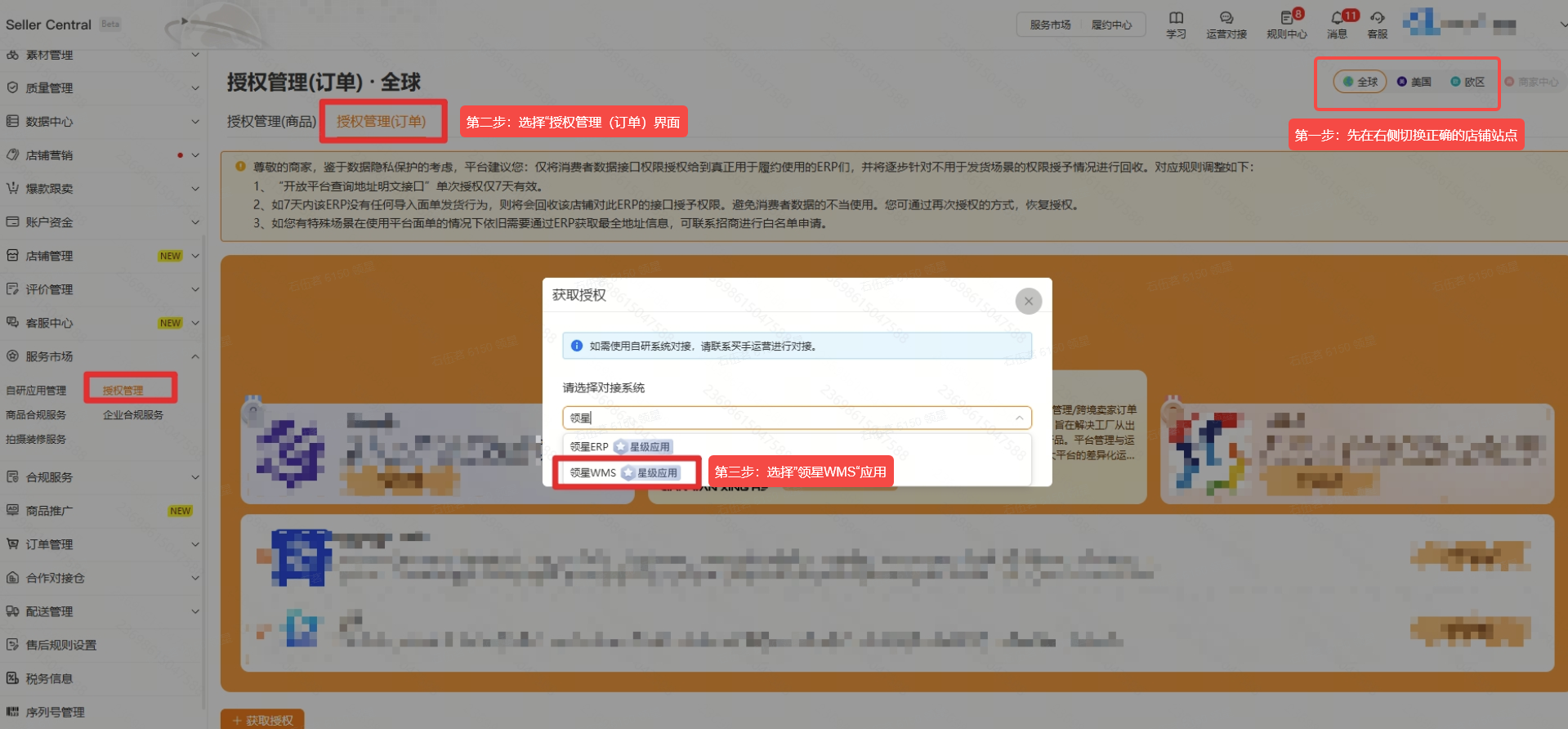
(1) Temu Backend > Click top-right "Seller Central" > Confirm Authorization
Important: Must be "半托管" (semi-managed) store with main account. Ensure left top shows "Seller Central" (English), not "卖家中心".
(2) Confirm store site on right side
Note: Different sites have different access tokens. Temu site must match OMS site selection.
(3) Service Market > Authorization Management (Orders) > Get Authorization > Select Alleasy WMS > Confirm
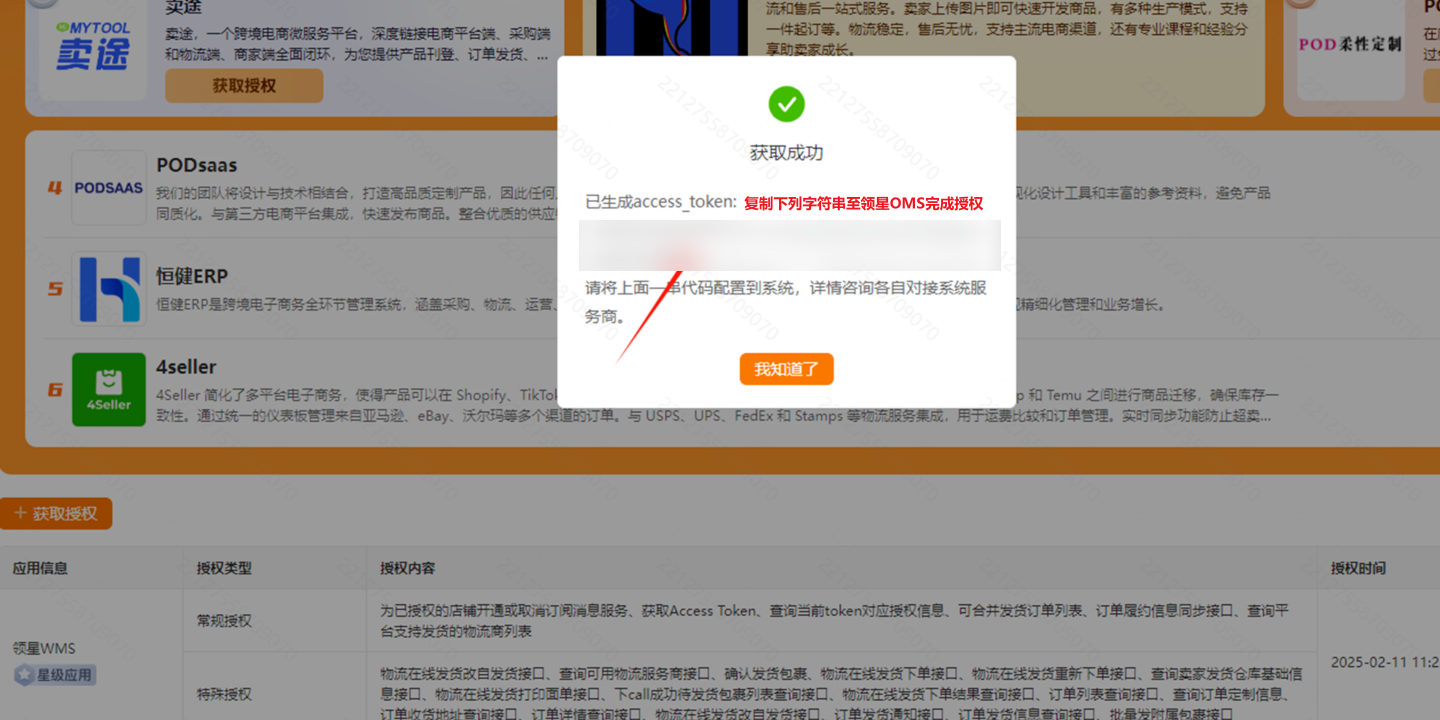
(4) Copy access_token to OMS
Local Stores:
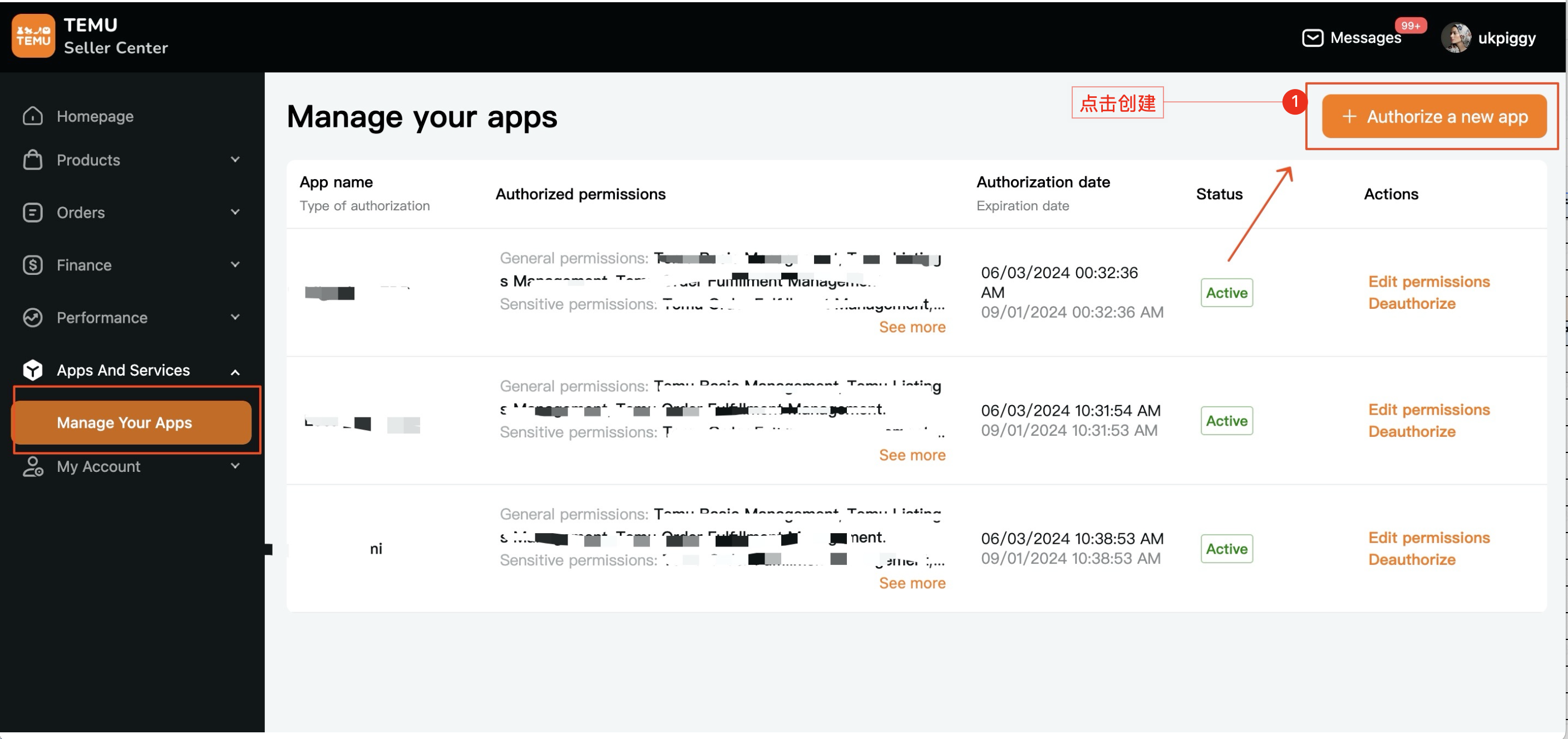
(1) Login to seller.temu.com > Manage Your Apps > Authorize a new app
(2) Select "Lingxing WMS" and generate access_token
2.3 Fill Authorization Info in OMS
Path: OMS > System Settings > Platform Authorization > Temu > Add Authorization
- Fill custom store info and access_token
- Select "All Orders" or "Store Warehouse"
- For Store Warehouse: Fill warehouse ID from Temu backend
2.4 Logistics Provider Mapping (Required)
Path: OMS > Platform Authorization > Operations > Logistics Provider Mapping
Common mappings: FedEx, UPS, USPS, YANWEN, GOFO
2.5 Product Mapping (Required)
Path: OMS > System Settings > Product Mapping > New/Import
Additional Chinese Screenshots
2.6 Platform Order Operations
- Only seller-fulfilled orders sync to Platform Orders
- Cooperative warehouse orders push directly to Dropshipping Outbound
3. Common Issues
Q: "access_token error" during authorization?
A: Ensure using English "Seller Central" page (not "卖家中心"). Ensure site matches between Temu and OMS.
A: Ensure using English "Seller Central" page (not "卖家中心"). Ensure site matches between Temu and OMS.
Q: Orders synced but platform SKU is empty?
A: Fill SKU货号 in Temu backend, complete product mapping, cancel exception orders, re-sync after 15 minutes.
A: Fill SKU货号 in Temu backend, complete product mapping, cancel exception orders, re-sync after 15 minutes.