How to Authorize OZON Store in Alleasy OMS
Complete guide to connect your OZON store with OMS
1. Overview
Definition: Connect your OZON store with OMS for automatic order sync and unified management.
Benefits: Auto-sync orders, process in OMS, set automatic shipping rules.
2. Authorization Steps
2.1 Get Store Authorization Info
(1) Go to OZON Backend > Settings > API Keys > Copy Client ID
(2) Click "Generate Key" > Set name > Check all permissions > Generate
(3) Copy the generated code as API Key
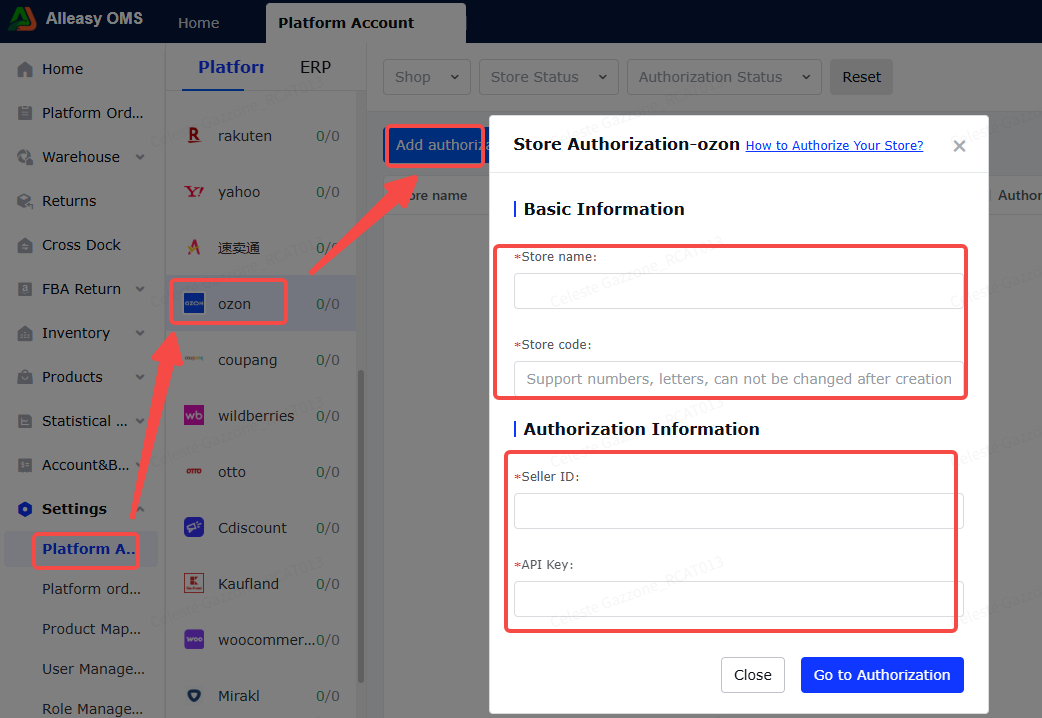
2.2 Fill Authorization Info in OMS
Path: OMS > System Settings > Platform Authorization > OZON > Add Authorization
- Client ID: From OZON backend
- API Key: Generated key
2.3 Product Mapping (Required)
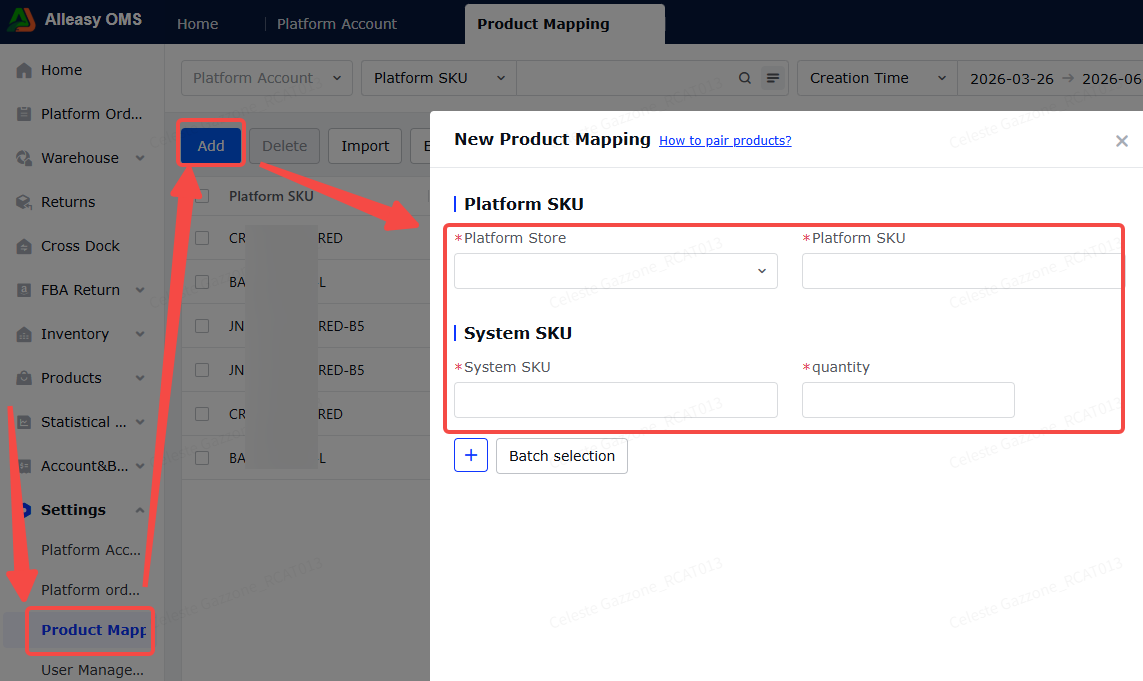
Path: OMS > System Settings > Product Mapping > New
- Ensure OMS has created corresponding product SKUs
- Ensure OZON product info has SKU filled in
- Quantity = conversion coefficient (NOT inventory quantity)
3. Common Issues
Q: What order status can be synced?
A: "awaiting delivery" (awaiting shipment) status. Supports FBS type orders, not FBO.
A: "awaiting delivery" (awaiting shipment) status. Supports FBS type orders, not FBO.
Q: Tracking number shows as platform order number?
A: OZON doesn't return tracking number when fetching labels. System fills with platform order number.
A: OZON doesn't return tracking number when fetching labels. System fills with platform order number.