How to Authorize Mercado Store in Alleasy OMS
Complete guide to connect your Mercado store with OMS
1. Overview
Definition: Authorizing a Mercado store in Alleasy OMS connects your Mercado marketplace with the Order Management System for automatic order sync and unified management.
Benefits: After authorization, Alleasy OMS automatically syncs Mercado order data, helping merchants manage multi-platform orders in one system, significantly improving order processing efficiency.
2. Authorization Steps
2.1 Access OMS System
Path: OMS > System Settings > Platform Authorization > Mercado
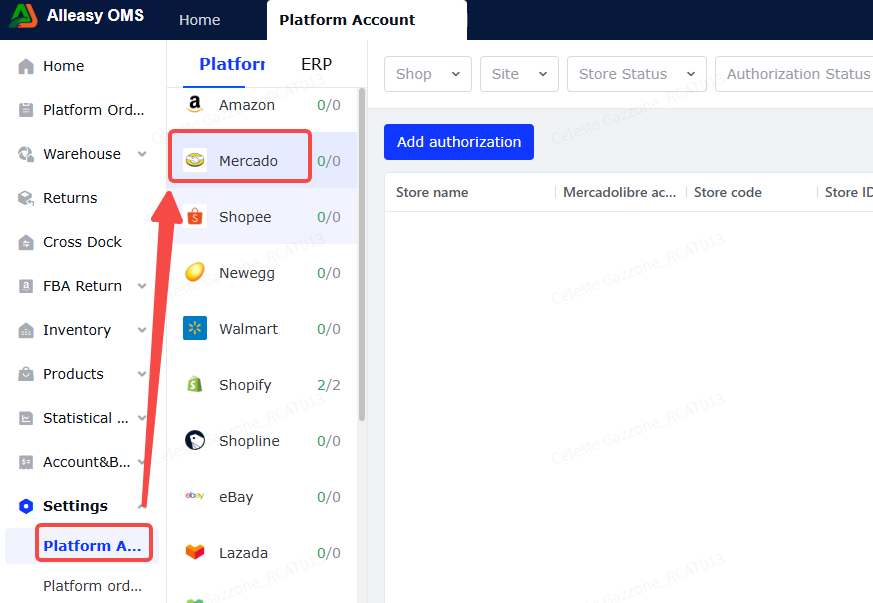
2.2 Add Authorization
(1) Click Add Authorization
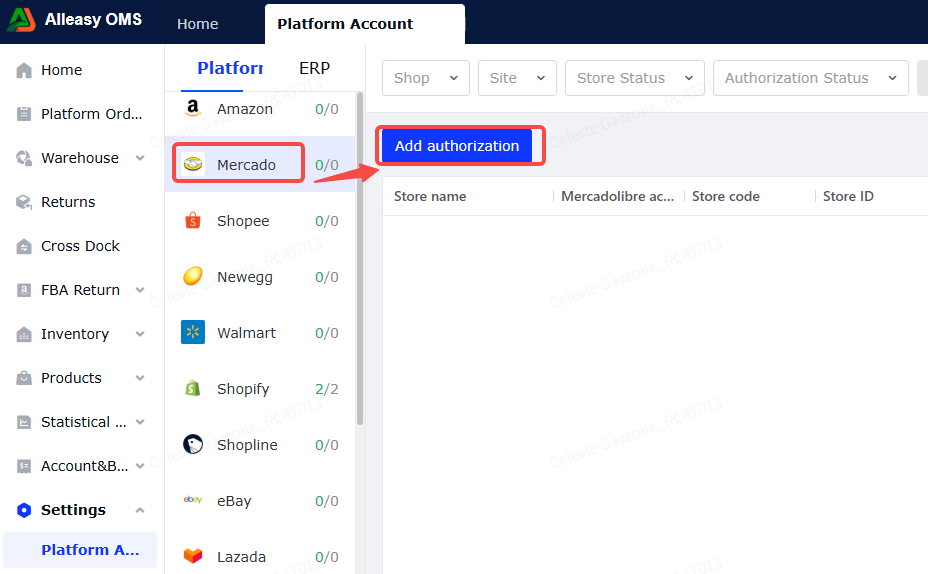
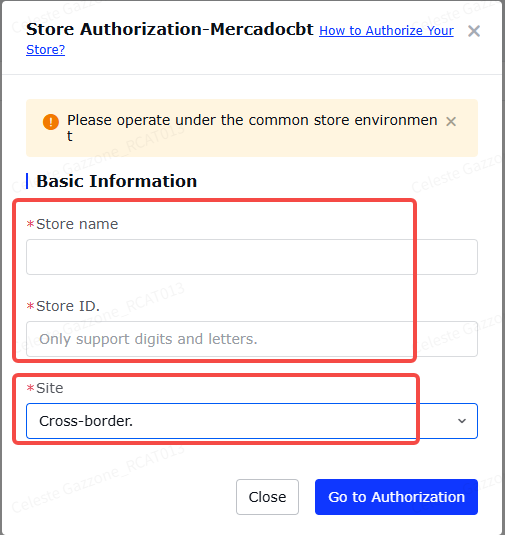
(2) Fill OMS Authorization Info
Select the store's [Site], fill in custom [Store Name] and [Store ID]. Click [Go to Authorize].
Note: [Store ID] cannot be duplicated.
(3) Login to Mercado Store in New Window
Enter the account credentials for the store to be authorized.
After successful authorization, you'll see a success message. Return to platform list to view authorized stores.
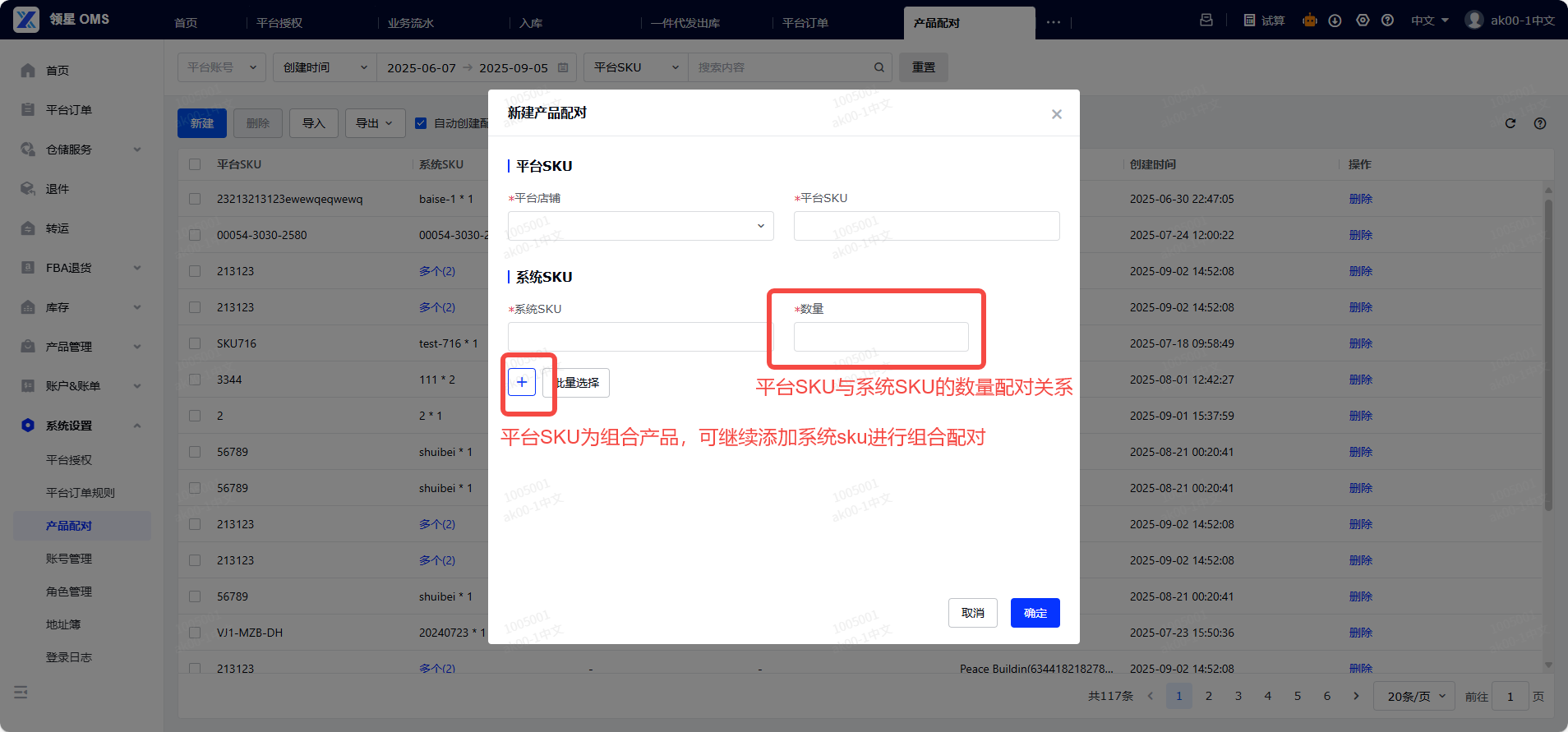
(4) Set Up Product Mapping (Required)
Path: OMS > System Settings > Product Mapping > New/Import
- Ensure OMS has created corresponding product SKUs
- Ensure Mercado product info has SKU filled in
- Quantity = conversion coefficient (NOT inventory quantity)
- Product mapping is bound to store - multiple stores need separate mapping
2.3 Platform Order Operations
- First authorization pulls orders from 3-5 days before store creation
- Subsequent syncs every 15 minutes (last 2 days)
- Click [Manual Sync] for immediate sync
3. Additional Information
3.1 Important Notes
- [Store Code] cannot duplicate existing codes
- Complete [Product Mapping] promptly after authorization
- Mercado supports syncing orders with status: "pending", "handling", "ready_to_ship"
4. Common Issues
Q1: What email should I use when connecting Mercado store?
A: Use the main account email.
A: Use the main account email.
Q2: Can one Mercado store authorize multiple OMS accounts?
A: Yes, supported.
A: Yes, supported.
Q3: Authorization page shows "Application cannot connect to your account"
A: Use the same browser in your usual network environment. If using Ziniao browser, it may cause authorization failure - contact browser support.
A: Use the same browser in your usual network environment. If using Ziniao browser, it may cause authorization failure - contact browser support.
Q4: Platform order shows "Platform SKU is empty"
A: Complete SKU binding on Mercado platform before OMS product mapping. If already showing error, cancel the order in [Exception], manually create dropshipping outbound order, and complete product mapping for new SKU.
A: Complete SKU binding on Mercado platform before OMS product mapping. If already showing error, cancel the order in [Exception], manually create dropshipping outbound order, and complete product mapping for new SKU.
Q5: Orders using Mercado platform labels shipped but status not updated
A: Orders using Mercado platform labels don't need system status updates. Platform updates status after scanning the package at designated pickup location.
A: Orders using Mercado platform labels don't need system status updates. Platform updates status after scanning the package at designated pickup location.