How to Authorize eBay Store in Alleasy OMS
Complete guide to connect your eBay store with OMS
1. Overview
Definition: Connect your eBay store with OMS for unified order management and efficient shipping processing.
Benefits: Pull orders to OMS, select logistics, review and submit to WMS overseas warehouse. Manage multiple stores with unified processes.
2. Authorization Steps
2.1 Login to OMS and Fill Authorization Info
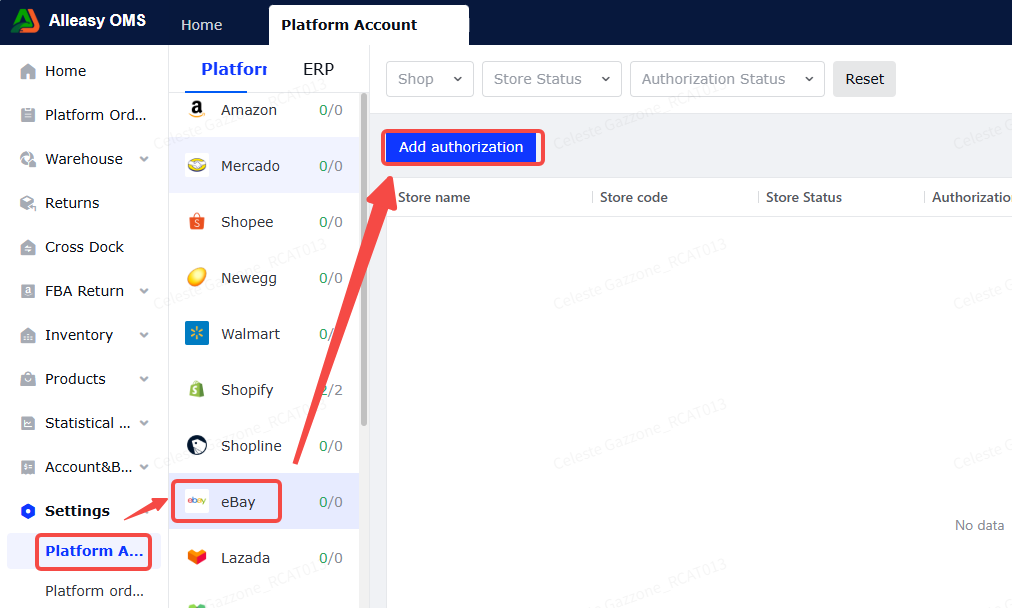
Path: OMS > Settings > Platform Authorization > eBay > Add Authorization
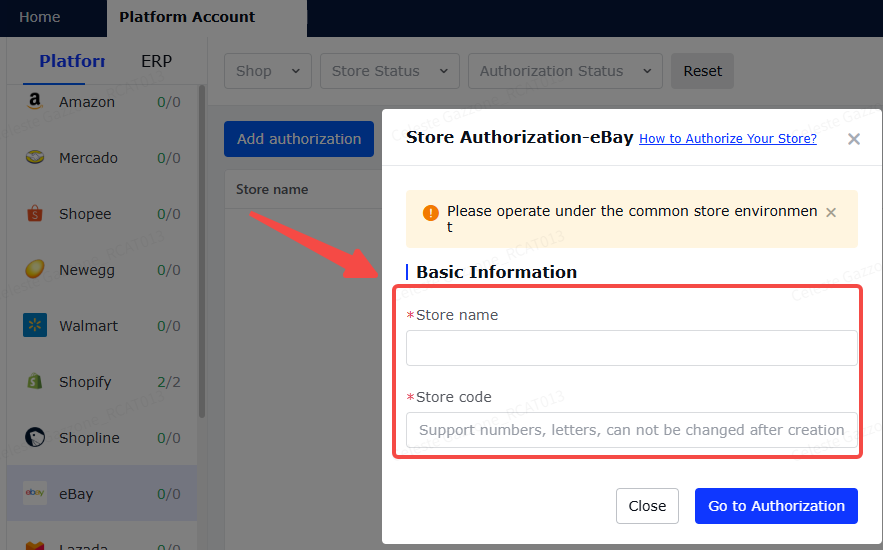
Fill in basic info (store name, store code are custom fields). Click [Go to Authorize].
Note: Perform authorization in your usual network environment.
2.2 Login to eBay Account
A new window will open with authorization link. Login with your eBay store account.
2.3 Confirm Authorization
After login, you'll be redirected to the app authorization page. Click [Agree].
2.4 Set Up Product Mapping
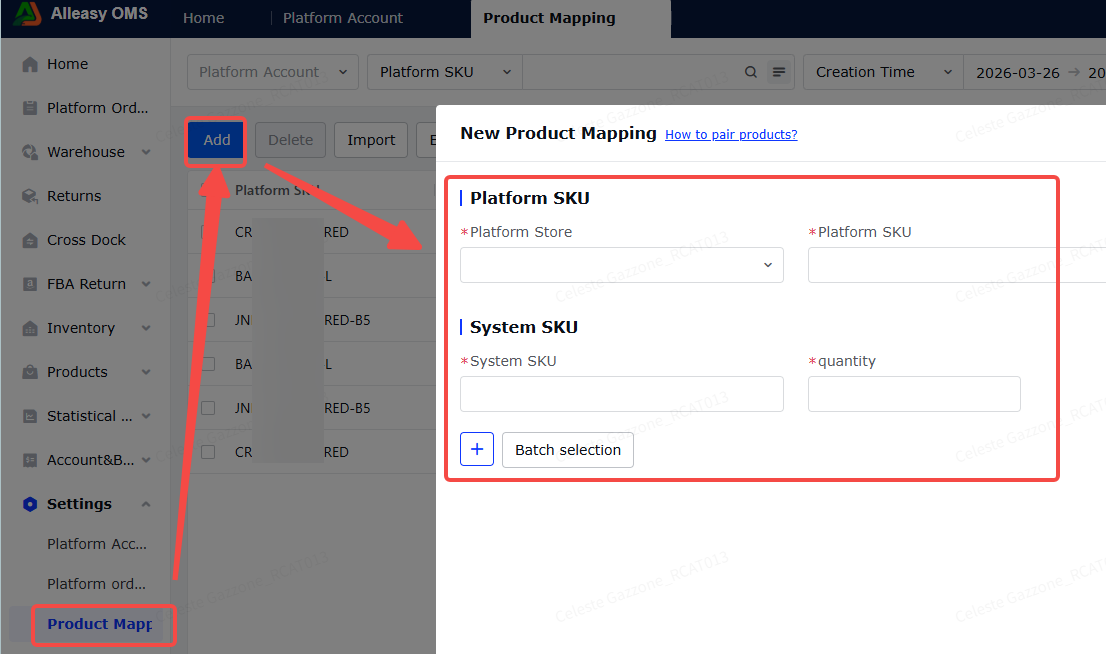
Path: OMS > System Settings > Product Mapping > New
- Ensure OMS has created corresponding product SKUs
- Ensure eBay product info has SKU filled in
- Quantity = conversion coefficient (NOT inventory quantity)
- Product mapping is bound to store - multiple stores need separate mapping
2.5 Platform Order Operations
- First authorization pulls orders from 3-5 days before store creation
- Subsequent syncs every 15 minutes (last 2 days)
- Click [Manual Sync] for immediate sync
3. Additional Information
3.1 Important Notes
- Sync Order Status: eBay only pulls orders with status {NOT_STARTED|IN_PROGRESS}
- Label Type: eBay currently only supports warehouse labels
4. Common Issues
Q1: Can one eBay store authorize multiple overseas warehouse accounts?
A: Yes, supported.
A: Yes, supported.
Q2: What does the synced platform SKU correspond to in eBay?
A: It corresponds to "Custom label (SKU)" in eBay item details.
A: It corresponds to "Custom label (SKU)" in eBay item details.