How to Authorize Coupang Store in Alleasy OMS
Complete guide to connect your Coupang store with OMS
1. Overview
Definition: Connect your Coupang store with OMS for automatic order sync and unified management.
Benefits: Auto-sync orders, process in OMS, set automatic shipping rules.
2. Authorization Steps
2.1 Maintain Option ID
OMS syncs Coupang's "Seller Merchant Code". Fill this in Coupang backend before authorization.
2.2 Get Authorization Info
(1) Login to Coupang Backend > Account Info > Copy Account ID
(2) Click top-right dropdown > Copy Vendor ID (Company Code)
(3) Go to "Other Merchant Info" > Login to see OPEN API Keys > Copy AccessKey and SecretKey
(4) If no key, click "Get API Key" > Select OpenAPI > Enterprise: Select "领星WMS" > Generate
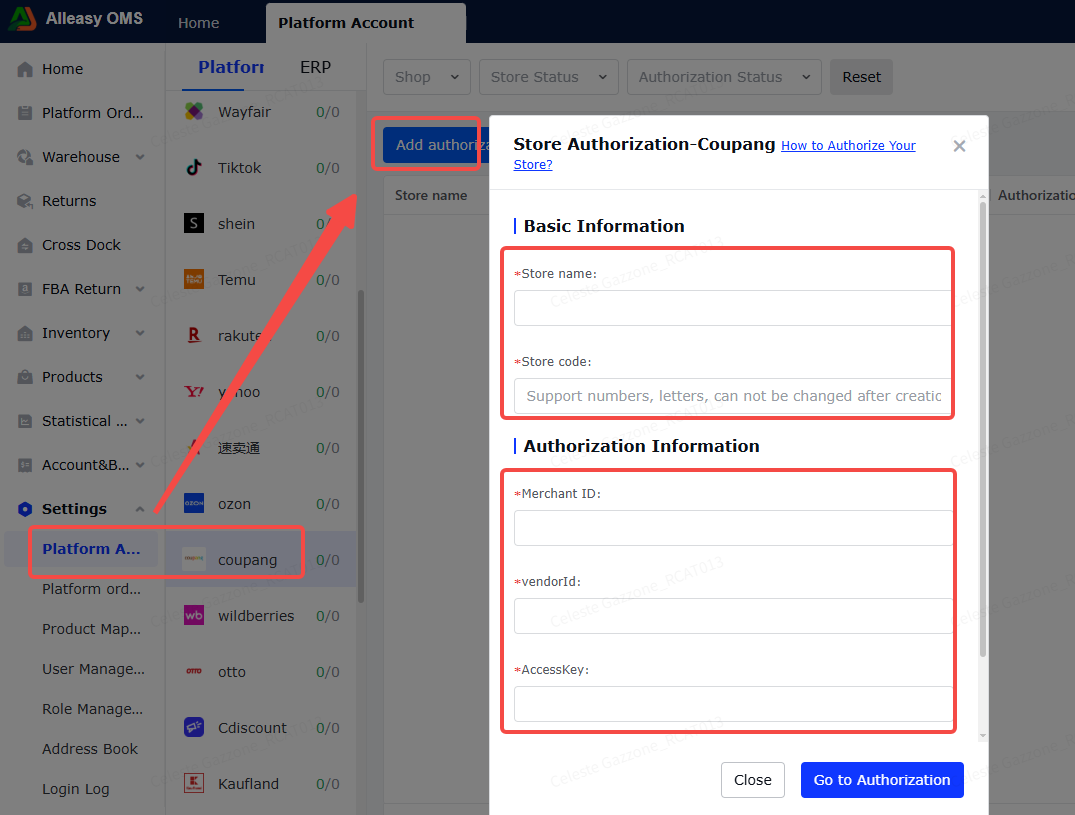
2.3 Fill Authorization Info in OMS
Copy Account ID, Vendor ID, AccessKey, SecretKey to OMS authorization page.
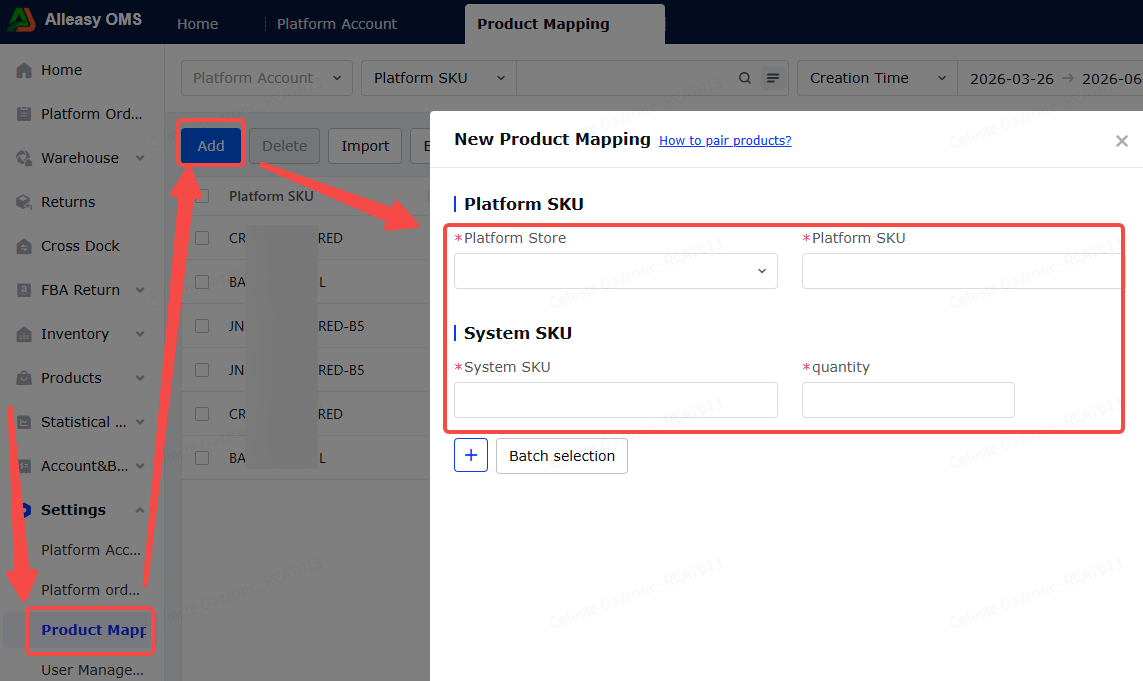
2.4 Product Mapping (Required)
Path: OMS > System Settings > Product Mapping > New/Import
- Ensure OMS has created corresponding product SKUs
- Ensure Coupang product info has Option ID filled in
- Quantity = conversion coefficient (NOT inventory quantity)
3. Common Issues
Q: What order types are supported?
A: Only THIRD_PARTY (local store) seller-fulfilled orders. Not supporting CGF (platform-fulfilled) orders.
A: Only THIRD_PARTY (local store) seller-fulfilled orders. Not supporting CGF (platform-fulfilled) orders.
Q: What order status can be synced?
A: ACCEPT (payment completed) status orders.
A: ACCEPT (payment completed) status orders.
Q: "Platform SKU cannot be empty" error?
A: Fill in "Seller Merchant Code" in Coupang backend.
A: Fill in "Seller Merchant Code" in Coupang backend.